Welcome to IELTS Mastery Hub
IELTS Mastery Hub is a desktop app that helps you practice the three main IELTS skills in one place: Writing, Reading, and Listening. It also gives you a Dashboard to track your progress and a Test Library where you can browse practice tests.
If you manage content for other learners, the same app also includes an Admin Portal.
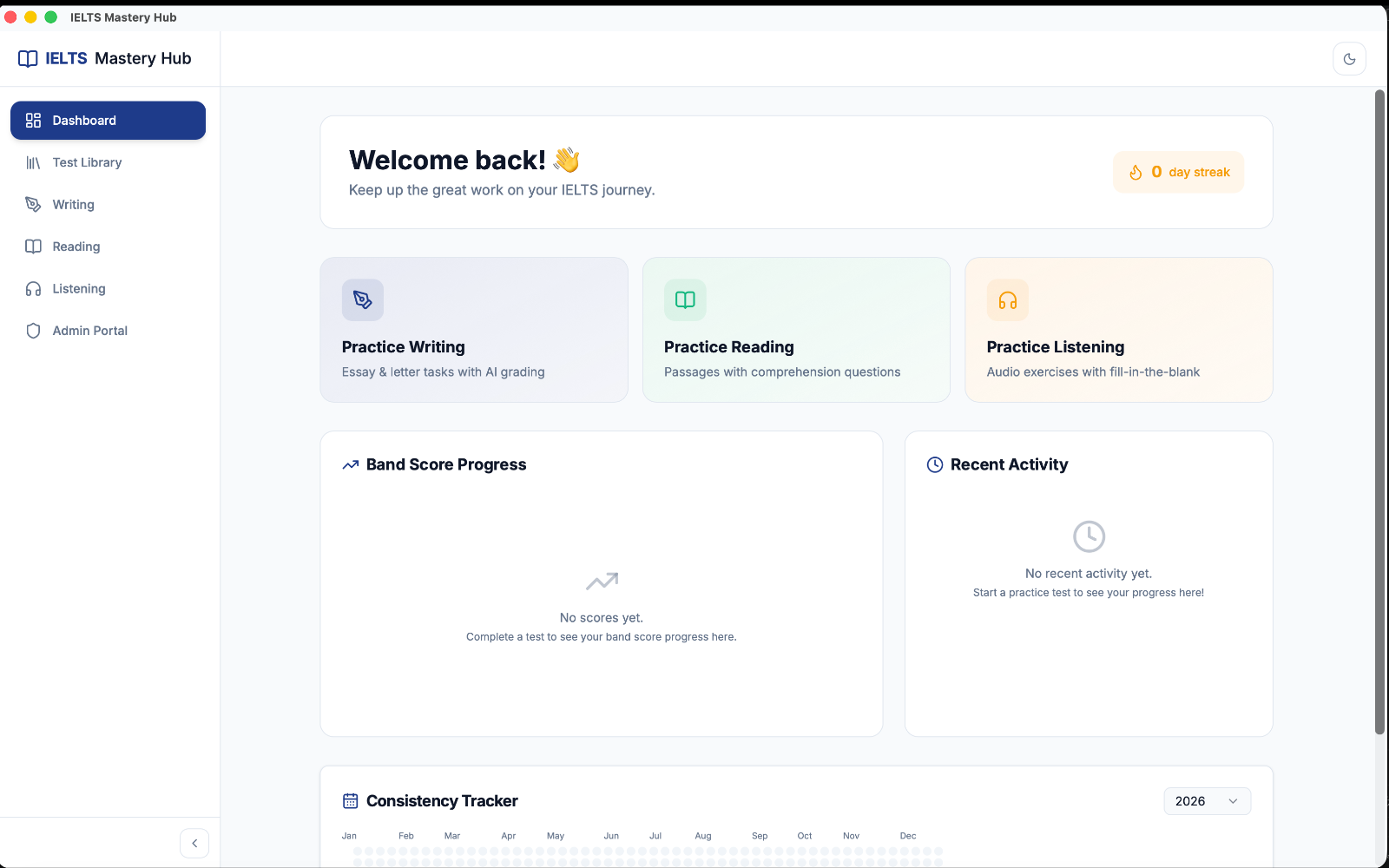
What you can do in the app
- Practice Writing and get AI-graded feedback
- Practice Reading with timed passages and questions
- Practice Listening with audio-based tasks
- Open the Test Library to find practice tests
- Use the Dashboard to see your streak, scores, and recent study activity
No account needed
You do not need to sign up or log in before using the app. IELTS Mastery Hub saves your progress locally on this computer.
:::note Saved on this device Your study history, scores, and progress stay on this device. That is the normal way the app works today. :::
Your first screen: the Dashboard
When you open the app, you land on the Dashboard. This is your home screen. From here, you can:
- see your current study streak
- jump straight into Writing, Reading, or Listening
- check your recent activity
- look at your band score progress over time
A quick tour of the sidebar
The main sidebar appears in this order:
| Sidebar item | What it is for |
|---|---|
| Dashboard | Your main home screen and progress overview |
| Test Library | Where you browse available practice tests |
| Writing | Opens the Writing practice area |
| Reading | Opens the Reading practice area |
| Listening | Opens the Listening practice area |
| Admin Portal | Tools for creating and managing test content |
Moving around the app
Using the app is simple:
- Open IELTS Mastery Hub.
- Start on the Dashboard.
- Click any item in the left sidebar to move to that section.
- Return to the Dashboard any time to check your progress.
:::tip Offline use Everything in the app works offline except Writing AI grading. Writing feedback needs an internet connection because it uses an external grading service. :::
For admins
If you are an admin or teacher, you can open the Admin Portal from the same sidebar. There is currently no separate admin login, so student and admin areas are all available from the same app window.